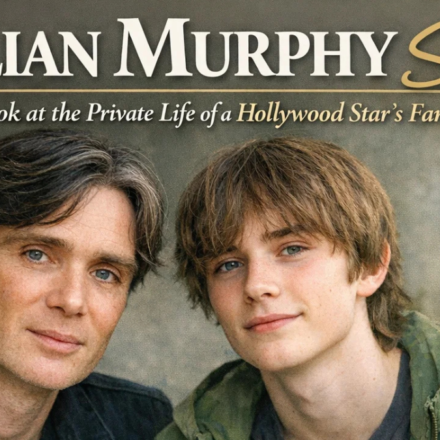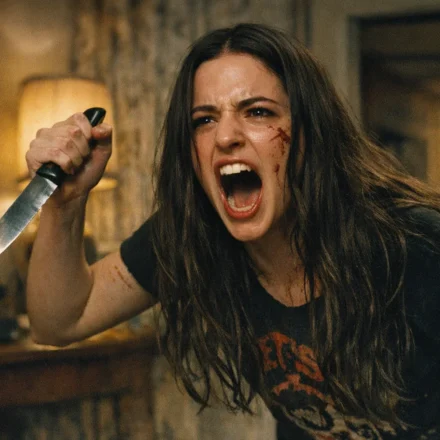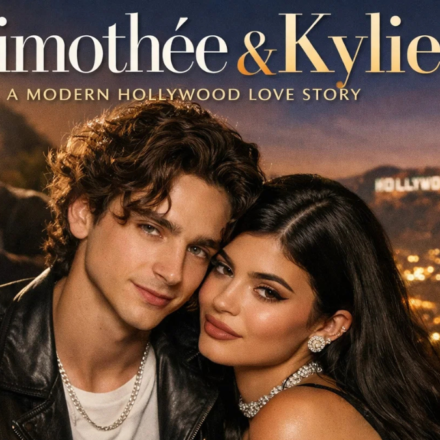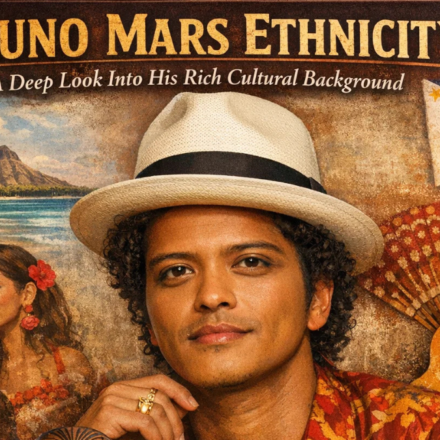


























The way we create and edit visuals has changed dramatically in the last few years. What once required hours in Photoshop or professional artistic skills can now be done in seconds using image-to-image AI tools. These cutting-edge solutions allow you to upload an existing image and transform it with powerful generative algorithms whether you want to enhance clarity, restyle artwork, remove backgrounds, or completely reimagine a photo with creative edits.
In this guide, we explore the best tools available today for enhancing, restyling, and reimagining photos with AI. We highlight real use cases, creative ideas, and practical reasons to add these tools to your workflow whether you’re a marketer, content creator, designer, or casual enthusiast.
What Is Image to Image AI and Why It Matters
At its core, image to image AI transforms one image into another based on user prompts or stylistic instructions. Unlike traditional photo editors that require manual adjustments, AI tools generate impressive edits automatically. They can:
- Improve image quality and clarity
- Change artistic style or mood
- Replace or remove backgrounds
- Upscale resolution without loss of detail
- Repair old or damaged photos
- Create entirely new visuals based on your image and text prompts
For creators, this means less time wrestling with complex interfaces and more time producing visually stunning content for social media, blogs, ads, or video production workflows.
Top 5 Best Image to Image AI Tools
Here are five standout tools to help you enhance, restyle, and reimagine your images using AI.
1. Invideo – Comprehensive Image to Image AI for Creators
Invideo is a powerful platform that offers advanced image to image AI features tailored for creators, marketers, and designers. The process is simple: upload your existing image, describe the changes you want, and the AI generates a refined or entirely new version of the visual in seconds.
How Invideo Stands Out
- Text-Guided Editing: Tell the AI what to change using natural language prompts such as “turn this photo into a watercolor painting of a sunset” or “remove background and enhance subject colors.”
- Style Transfer: Apply artistic styles or textures while preserving essential image features and character consistency.
- Upscaling and Restoration: Improve resolution and restore details in lower-quality images, making them suitable for high-impact visuals in videos or prints.
- Rapid Generation: The entire edit process takes only seconds, replacing what used to take hours with manual tools.
Invideo isn’t just an image tool it’s also a capable ai video generator platform, meaning you can easily take enhanced or restyled images and incorporate them into larger video projects. This makes it a go-to choice for content creators who want visual consistency across photos and video assets.
For example, a marketer could upload a product photo, enhance it to crisp detail, restyle it in a cinematic theme, and then use that asset as a visual element in a social ad or promotional reel all within the same creative ecosystem.
2. PixelDojo – Instant High-Definition Image Enhancements
PixelDojo offers powerful AI-driven image enhancement for crisp, high-definition visuals with minimal effort. Whether you’re preparing product photos for eCommerce or refreshing personal images, PixelDojo delivers professional-grade results in seconds.
Key Features
- AI-Powered Enhancement: Automatically boosts clarity, sharpness, and detail.
- Scene Revitalization: Improve lighting, color balance, and contrast without manual tweaking.
- Old Photo Restoration: Breathing new life into faded or damaged photos.
- High-Performance AI Models: Uses advanced neural networks for natural-looking results.
PixelDojo is ideal for photographers, designers, and social media managers who want quick improvements without sacrificing quality or style.
3. AI Image Enhancer – Auto-Enhance Photos with AI Precision
The AI Image Enhancer tool focuses on automatically optimizing images for clarity and visual depth. It’s particularly useful when you want a polished version of a photo without intricate settings or sliders the tool handles most decisions.
Core Capabilities
- Auto Photo Optimization: Adjusts contrast, lighting, and sharpness intelligently.
- 4K Resolution Support: Upscale images to high resolutions while maintaining detail.
- Unblur and Noise Reduction: Cleans up noise and restores clarity.
- Face-Focused Enhancement: Ideal for portraits and headshots.
This tool suits marketers and content creators who frequently post image-heavy content and need a fast image improvement solution.
4. Midjourney AI (on Invideo) – Artistic Image Transformations
While Midjourney is widely known as an AI art generator, its integration on Invideo provides a robust image to image AI experience. You can upload photos and apply advanced artistic transformations, ranging from photorealistic enhancements to stylistic reinterpretations of scenes.
Highlights
- Enhanced Image Quality: Rich textures and lighting effects.
- Complex Style Interpretation: Transform images into stylized or narrative visuals.
- Fast Execution: Generate results quickly for rapid creative iterations.
Creators can use this for visual storytelling, concept art preparation, and innovative social media visuals.
5. Flux Kontext – Precision Edits for Detailed Imagery
Part of the broader suite available on AI platforms like Invideo, Flux Kontext offers precise control over image edits by maintaining the detail and structure of your original image while applying targeted transformations.
Key Features
- Context-Aware Editing: Keeps core visual elements intact.
- Subtle Enhancements: Focuses on nuanced improvements that maintain realism.
- Cross-Style Retention: Retains subject identity while allowing stylistic changes.
This makes Flux Kontext especially useful for creators who want a balance between authenticity and imagination in their edits.
Creative Ways to Use Image to Image AI Tools
Once you’ve chosen the right image to image AI tool, there are countless ways to leverage it creatively:
1. Social Media Posts That Pop
Transform everyday photos into attention-grabbing visuals for Instagram, TikTok, and Pinterest with enhanced detail, artistic filters, or vibrant color adjustments.
2. Product Photography for eCommerce
Improve product image quality instantly especially useful for online stores that need crisp visuals for conversions and ad creatives.
3. Digital Art and Concept Design
Turn sketches or rough concepts into polished visuals for storyboards, concept art, and mood boards.
4. Revive Old Memories
Use AI to restore old family photos or personal archives, adding clarity and vibrant color to faded images.
5. Personalized Thumbnails for Videos
Create custom thumbnails for YouTube videos that stand out in search by using AI-enhanced visuals.
6. Visual Content for Blogs and Presentations
Enhance images used in articles, reports, or slideshows to strengthen reader engagement and retain attention.
7. Marketing Campaign Assets
Generate multiple variants of visual assets for ad campaigns, A/B testing different styles or narratives from the same base image.
8. Artistic Explorations
Experiment with styles like watercolor, cinematic lighting, or retro aesthetics to create unique artwork.
9. Branding Refreshes
Apply consistent visual styles across images for brand cohesion in marketing and social presence.
10. Collaborative Visual Projects
Work with team members to explore edits and concepts without requiring deep technical editing skills.
Tips for Best Results with Image to Image AI
- Start with High-Quality Sources: Better input images often yield stronger results.
- Use Clear Prompts: Describe changes with specific language for more accurate outputs.
- Experiment with Styles: Try different models or descriptor terms to find unique effects.
- Combine Tools: Sometimes enhancing first and then restyling yields the best visuals.
- Stay Ethical: Always respect copyright and personal privacy when editing photos.
Conclusion
AI image to image tools are transforming visual workflows by making image enhancement, restyling, and reinterpretation faster and more accessible than ever before. From quick photo touch-ups to creative transformations and brand visuals, these tools open up a world of possibilities whether you’re a marketer, creator, artist, or casual user.
With versatile platforms like Invideo leading the way, and other robust tools providing specialized functions, you can elevate your visuals in minutes and keep your creative pipeline moving at pace.